 Veil
VeilUse AI anywhere. Keep your chats private.
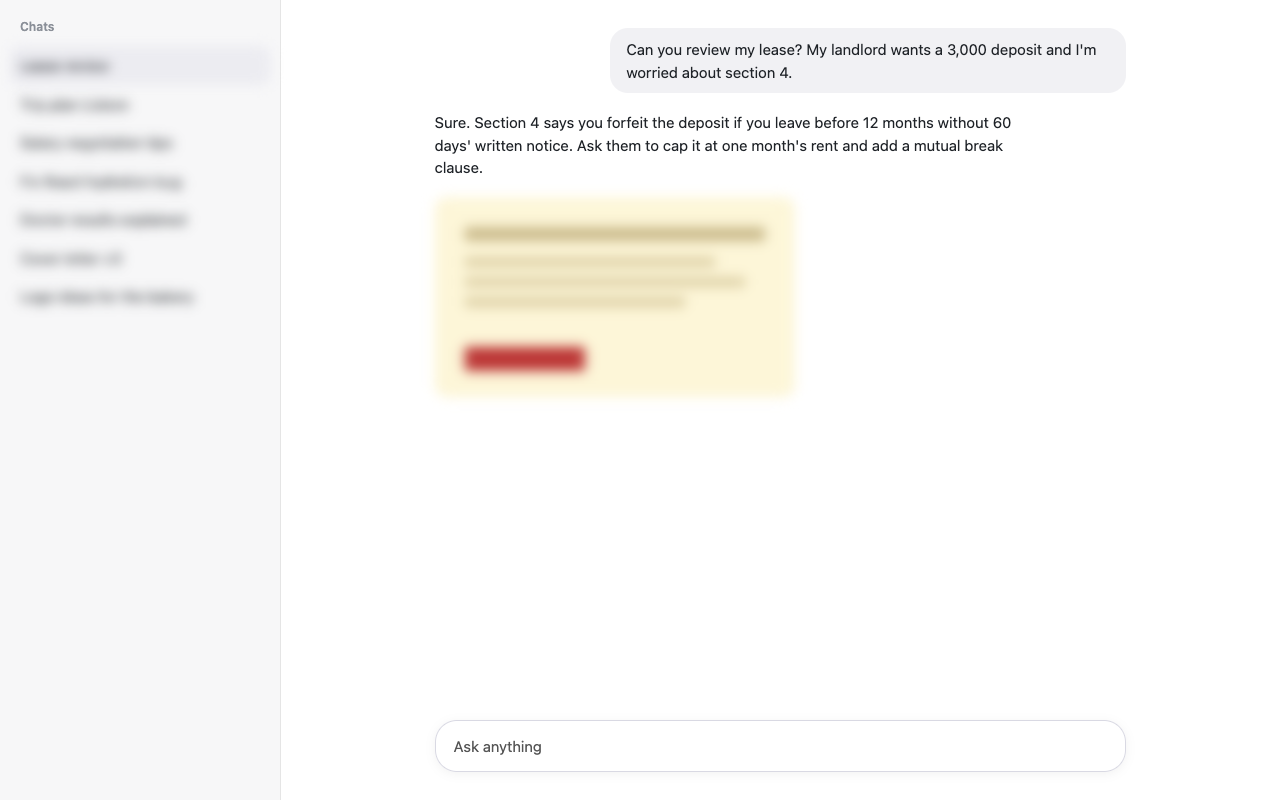
Veil blurs, hides and locks ChatGPT, Claude and Gemini, so nobody reads your chats over your shoulder.
Works on chatgpt.com, claude.ai and gemini.google.com, in Chrome, Edge, Brave and other Chromium browsers.
- At the office
- Sharing your screen
- On the train
- Recording a tutorial
- On a shared computer
Everything private, nothing in your way
Veil starts working the moment you install it. Your chat list and images are blurred, and everything else is one click away.
One-click modes
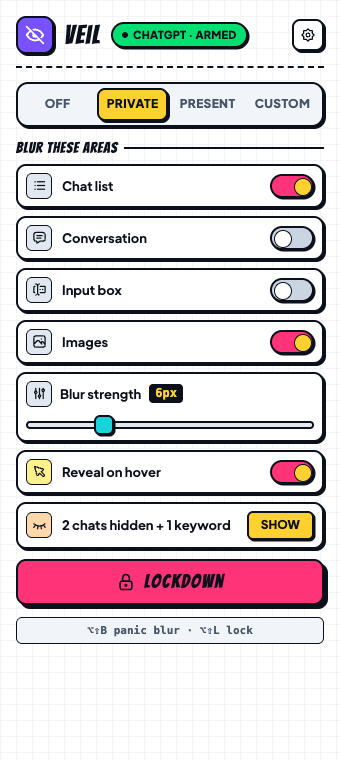
Private, Present, Custom or Off. Switch from the toolbar or with Alt+Shift+M.
Blur exactly what you want
Chat list, conversation, input box and images each have their own switch. Hover over anything to peek.
Hide specific chats
Right-click a chat to hide it, or hide every chat with a keyword like “salary” or “doctor”.
PIN lock
Lock the page with the Lockdown button or Alt+Shift+L. It locks again every time Chrome restarts.
Covers up when you step away
Switch tabs or leave your computer and Veil blurs or locks the page until you're back.
Panic key
Someone walks up? Alt+Shift+B blurs the whole page instantly. Press it again to bring it back.
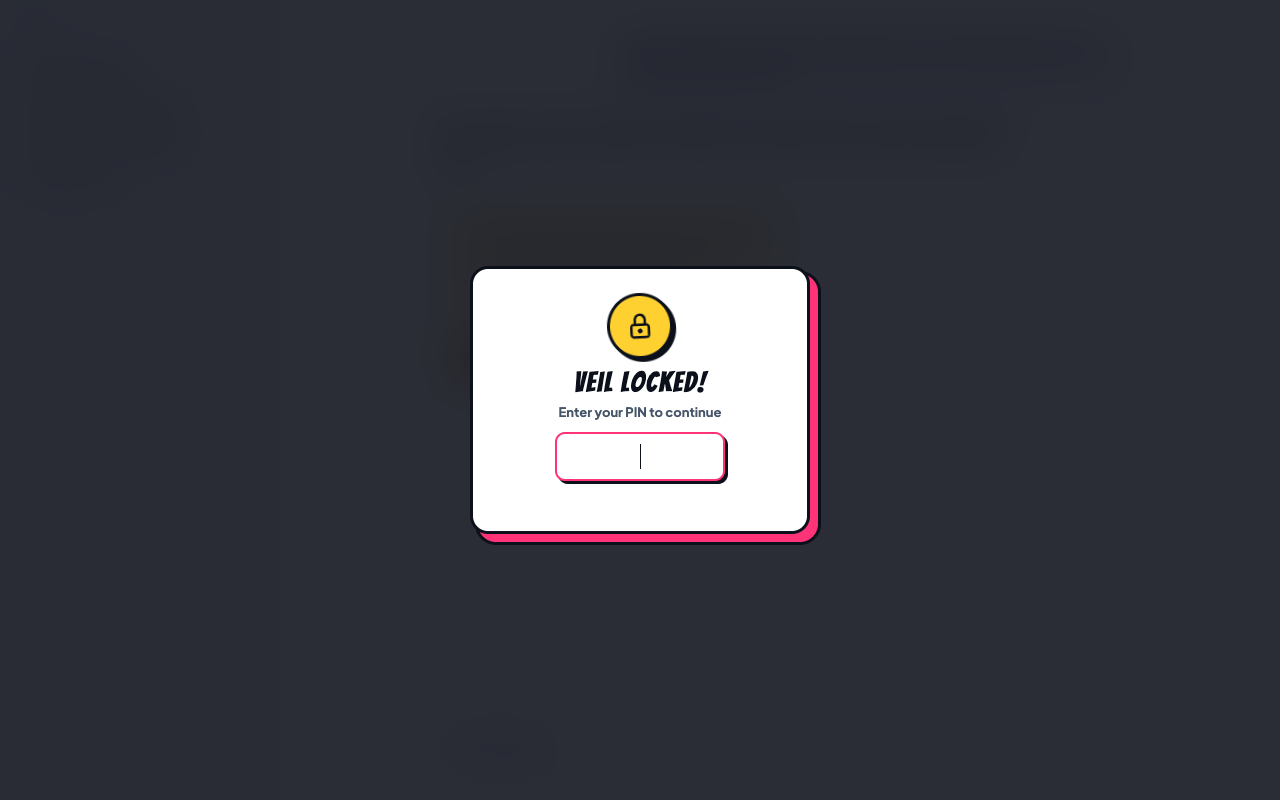
Lock it like your phone
Set a 4 to 8 digit PIN and your AI chats stay behind it.
- Locks when your computer goes idle
- Locks again after every restart
- Slows down anyone guessing
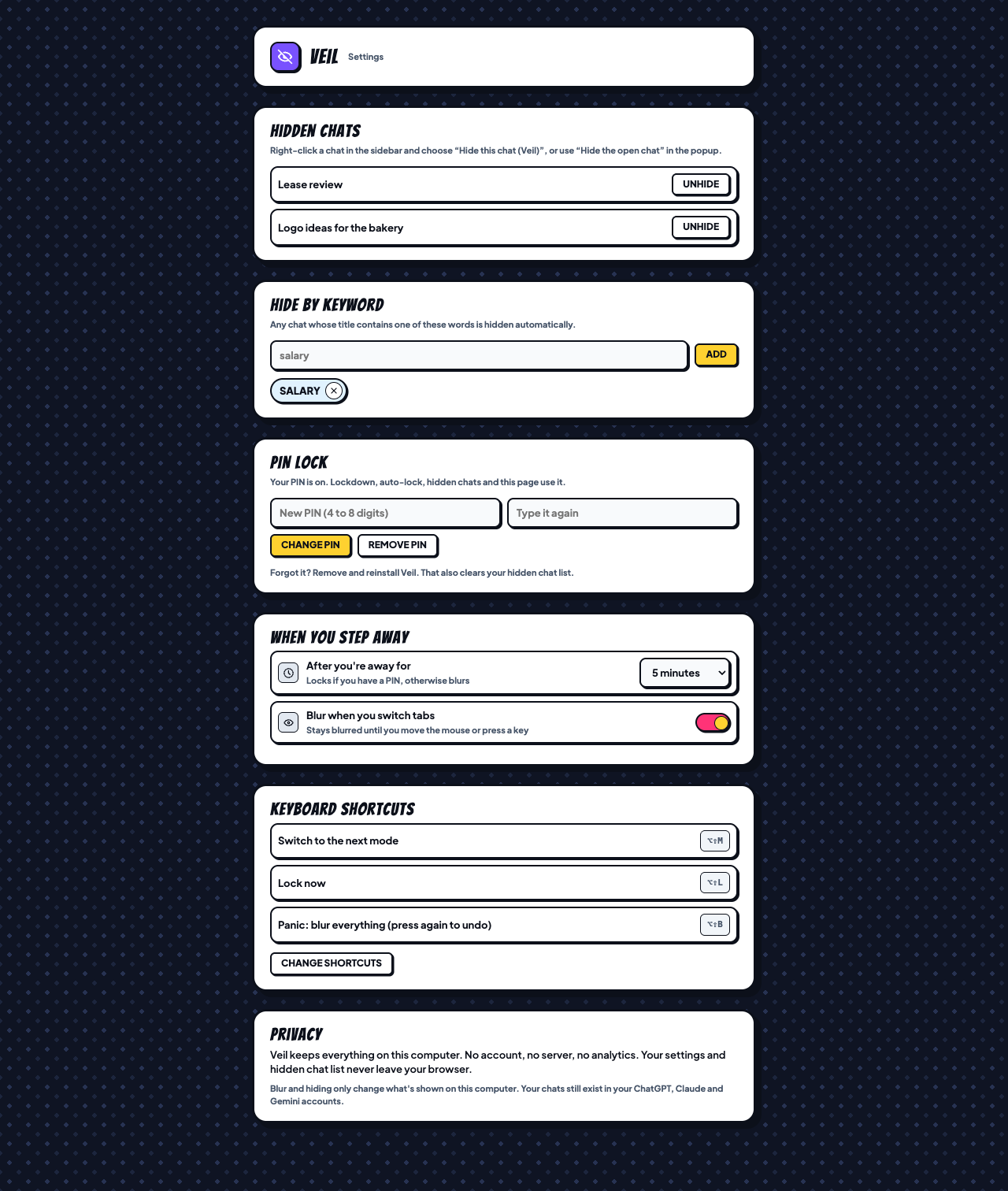
Some chats are nobody's business
Hide a chat and it disappears from your sidebar on this computer. It's still in your account, just out of sight.
- Right-click any chat to hide it
- Hide by keyword, automatically
- Showing them again needs your PIN, if you've set one

Presenting? Blur it all
Present mode blurs the entire page before you share your screen, join a call or hand over your laptop.
- One click, or Alt+Shift+B
- No hover peeking while it's on
- Works even if the site changes its layout
Private by design, not by promise
A privacy tool that ships your data to a server would be a bad joke. Veil doesn't have one.
- Makes zero network requests. No servers, no analytics, no account.
- Runs only on chatgpt.com, claude.ai and gemini.google.com. No other site.
- Your PIN is stored as a salted one-way hash, never as text.
- Remove Veil and everything it stored is gone with it.
Veil is a privacy screen: it changes what's shown on your computer and doesn't delete or encrypt your chats. Read the full privacy policy.
Private in 30 seconds
- Add Veil to Chrome from the Chrome Web Store. It's free.
- Open ChatGPT, Claude or Gemini. Your chat list and images are already blurred.
- Set a PIN in Veil's settings to turn on Lockdown and auto-lock.
Questions
Is Veil really free?
Yes. No account, no trial and no paid version.
Can Veil read my chats?
Veil runs inside your browser on the three chat sites so it can blur them, but it never saves or sends what you type or what the AI replies. It makes no network requests at all.
Does hiding a chat delete it?
No. It only removes the chat from your sidebar list on this computer. It stays in your account, so the site's own chat search and Chrome's history can still show it, and you can unhide it any time from Veil's settings.
What if I forget my PIN?
Remove and reinstall Veil. That clears the PIN, along with your hidden-chat list and settings.
Is the PIN lock secure?
It stops people near your computer from reading your chats. It isn't encryption: anyone who can use your computer can still turn Veil off in Chrome's extension settings.
Which browsers and apps does it work in?
Chrome and other Chromium browsers that install from the Chrome Web Store, such as Edge and Brave. It works on the websites, whatever plan you're on, but not in the ChatGPT, Claude or Gemini desktop and mobile apps.
Something isn't blurred. What now?
The chat sites change their layout from time to time. When that happens the Veil button shows “Check layout”. Email us and we'll ship a fix.